
How callshop works
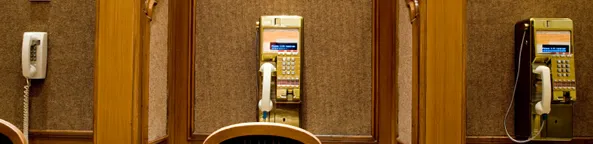
A callshop is a shop with phone booths: a walk-in customer pays at the counter and calls from a booth, or calls first and pays afterwards. In FlySIP each booth is an Account of a customer with Callshop Enabled, and the operator at the counter works on the Callshop screen of that customer’s portal, starting and stopping sessions and printing receipts.
Prepaid booth
Section titled “Prepaid booth”- The customer pays the operator an amount at the counter.
- The operator selects the booth on the Callshop screen, clicks Start and enters the Prepaid Amount.
- The customer dials from the booth. The switch prices every call with the booth’s service plan and stops when the amount is used up.
- The operator clicks Stop; the panel shows the cost and prints the Receipt.
Postpaid booth
Section titled “Postpaid booth”- The operator clicks Start with a Credit Limit instead of a prepaid amount.
- The customer makes calls up to the limit.
- On Stop the panel totals the calls and prints the receipt the customer pays.
What the switch does
Section titled “What the switch does”- The booth account holds the session’s balance: Start sets the balance to the prepaid amount or the credit limit, Stop clears it, so a booth cannot be used between sessions.
- Every call is an ordinary call of the account, priced by its Service Plan and routed by its Routing Group. The callshop customer’s own tariff is what you charge the shop; the booth’s plan is what the shop charges its customers.
- The Callshop screen refreshes the running cost per booth and shows Timer, Cost, Available Credit and Prev. Cost of the last session.
What’s next
Section titled “What’s next”- Set up a callshop: the customer, the booths, the preferences and the operator’s screen.
- Quickstart: retail: the tariff plan and the vendor side the callshop relies on.